Convert PDF to Word Without Losing Original Formatting

Do your bullet points turn into strange symbols? Does your bold text disappear? Stop fixing formatting errors manually. PdfXpo identifies headers, lists, and font styles to deliver a 100% matched Word file.
How to Convert PDF to Word and Keep Formatting Perfectly
Open PdfXpo.com and choose the 'PDF to Word' tool.
Upload your PDF containing complex formatting like lists, bold text, and headers.
Our formatting-aware engine scans the document for semantic structures.
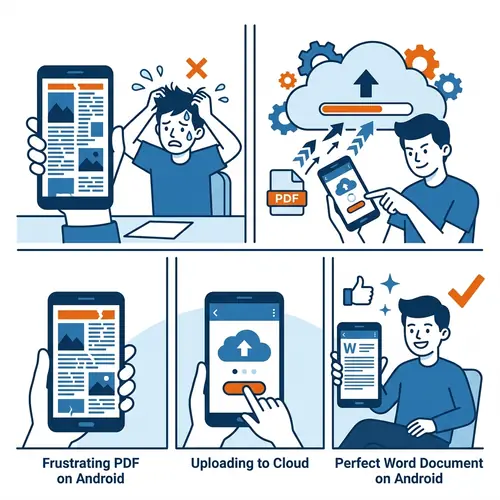
Download your conversion in seconds with all font styles and lists preserved.
Open in Microsoft Word to find everything exactly as it looked in the PDF.
The Most Accurate Formatting Filter
| Feature | PdfXpo | iLovePDF | Smallpdf |
|---|---|---|---|
| Always Free | YES | Limited | Limited |
| No Signup Ever | YES | Required | Required |
| Files Stay Private | In-browser | Cloud upload | Cloud upload |
| No Watermarks | Never | Free tier | Free tier |
| Works on Mobile | YES | YES | YES |
Most converters only extract text strings. PdfXpo analyzes the visual weight of fonts and the spacing of indentations. This allows us to rebuild Word lists and headers rather than just placing raw text. 100% free, private, and running entirely in your browser.

Frequently Asked Questions
Q: Will my bullet points and numbered lists stay intact?
A: Yes. Our engine recognizes indentation patterns and converts PDF ornaments back into active Word bullet points and numbered lists.
Q: Is it safe to upload documents with sensitive internal data?
A: Yes. PdfXpo uses WASM technology to process your conversion locally. Your document data never leaves your computer.
Q: Does it support bold, italics, and custom font sizes?
A: Absolutely. We preserve all character-level formatting including font weight, style, and size.
Q: Can I convert large documents for free?
A: Yes. There are no page limits or sign-up requirements. You can convert a 1-page flyer or a 500-page manual.
Explore More Pro-Tools
Stop fighting with broken formatting.
Switch to the converter that respects your hard work and design.
Convert Without Losing Format